Newsletter writing
Turn scattered ideas, notes, and links into a structured draft ready for review.
Join the Timeback Bootcamp and build the system that captures everything, designs your Life OS, and turns your repetitive work into agents that handle it for you.
Join the Bootcamp Starts Tuesday June 9Real use cases from Timeback Bootcamp Cohort 1 participants. This is the kind of work our founders, solopreneurs, coaches, and freelancers delegate first.
Turn scattered ideas, notes, and links into a structured draft ready for review.
Turn raw ideas into posts, captions, and content drafts ready for review.
Draft reports, summaries, and client-ready documents from your raw inputs.
Prepare page changes, copy edits, and implementation briefs without starting from scratch.
Turn calls and inbox activity into timely, personalised follow-up drafts.
Find keywords, compare search intent, and prepare article outlines with context.
Collect project details, draft invoice notes, and flag what needs approval.
Draft replies in your tone so you can review, edit, and send faster.
Prepare check-ins, updates, and summaries that keep clients in the loop.
Organise recurring tasks, reminders, and internal updates into a simple rhythm.
Turn transcripts and rough notes into decisions, actions, and next steps.
Shape a brief or voice note into a polished first draft for new opportunities.
If you can explain the task to a person, you can learn to delegate it to an agent. We’ll show you how to turn the work you repeat every week into systems that run without you.
SET UP THE SYSTEM THAT CATCHES EVERYTHING.
Before you automate anything, you need a system that captures the raw material, ideas, meetings, voice notes, decisions, half-formed thoughts. Most people skip this step and wonder why their AI agents feel shallow.
We install Claude as your thinking partner, set up your second brain as the central database everything flows into, and get your phone wired up so capture happens on the go, not just at your desk.
FIND THE LEVERAGE BEFORE YOU BUILD.
Most people start by asking, "What can I automate?" We start earlier. With a week of real data captured — calls, decisions, where attention actually went — patterns become visible that you can't see while you're in the work.
This is where we design your Life OS: what to automate, what to keep human, which tool runs which job. By the end of this step, you know exactly what to hand off, what to keep, and where an agent will actually save you time.
TURN THE PLAN INTO WORKING AGENTS.
Now the design becomes real automations. Claude is your thinking partner, OpenClaw your operating layer, and your second brain feeds both. Together, they turn your workflows into agents that handle the work.
You build agents for your business tasks: drafting in your voice, preparing briefs, organising information, following up, keeping your tools connected. Not abstract demos, agile systems handling your work.
Self-paced modules you can follow between sessions that teach you step by step how to create your own team of agents.
Come with your questions, get inspired by what others are building, and go deep on that week's theme, live with Gui.
Personal sessions for your specific setup, where we walk you through your problems and help you move faster.
“This isn’t a 4-week course. It’s a 4-week intensive bootcamp where we help each participant install their own Life OS, a living system for running their life and business, with AI doing the work that shouldn’t require them.”
19:30 CET · 13:30 ET · all sessions recorded
This is an action-based bootcamp, not a watch-and-learn course. Plan for 5–10 focused hours a week: live sessions, hands-on building, and getting your agent team running on your real work. Some go deeper. This range is enough to make real progress.
Tuesdays · 19:30 CET · 13:30 ET
Set up your Life OS and second brain
We help you build a system that acts as your second self, Claude as your main thinking partner, an agent layer that takes action, not just answers, and an Obsidian-style central database that absorbs anything you feed it: voice notes, transcripts, half-formed ideas, documents, emails, contracts.
Everything plugs into this second brain. Notion reads from it. OpenClaw reads from it. Agents pull context from it when they draft, decide, or act. It's the single source of truth the whole system runs on.
We also connect it to the tools where your real work already happens, so your second brain stops being a notebook and becomes a live picture of your actual business. That raw material is what Week 2 turns into a design.
Design how you want to live and work.
Now that everything's being captured, we use it. We look at your week — where your hours go, what drains you, what repeats. Then we design your Life OS: what to automate, what to keep human, which tool runs which job, what lives in Claude, what runs in the agent layer, what stays on your phone.
Reflect is also where the business insights surface. With a week of real data — calls, decisions, customer notes, numbers, where attention actually went — patterns become visible that you can't see while you're in the work. This is where you make real strategic decisions about the next quarter: what to double down on, what to cut, where the next move is.
You leave Week 2 with a clear plan for the life and business you actually want.
Build it. Watch the time come back.
This is where the plan turns into real automations. You build the workflows from your Week 2 design: meeting summaries, daily briefings, drafts in your voice, research, follow-ups, whatever matters most for your life and business. Each one runs in the right place, on your terms, with your judgment in charge.
Week 3 is the hands-on week. You're not learning about agents in the abstract, you're building the ones that handle your specific work. We work through them one by one, testing each in your real environment, with your real tools and your real data, until they hold up.
By Friday, AI is doing real work for you, every day.
Set your operating rhythm.
The first three weeks give you a Life OS. Week 4 gives you the rhythm to keep it alive and growing. Capture, Reflect, Act stops being a 4-week bootcamp and starts being how you run your week: capture all the time, reflect when something needs designing, act when it's time to build.
We map your next month together: what to refine, what to add, what to hand off next. The system you've built isn't static, it evolves as your business does, and you leave knowing exactly how to extend it without us.
You leave with a written playbook and a clear path forward, with the option to keep building with us through ongoing Masterminds.
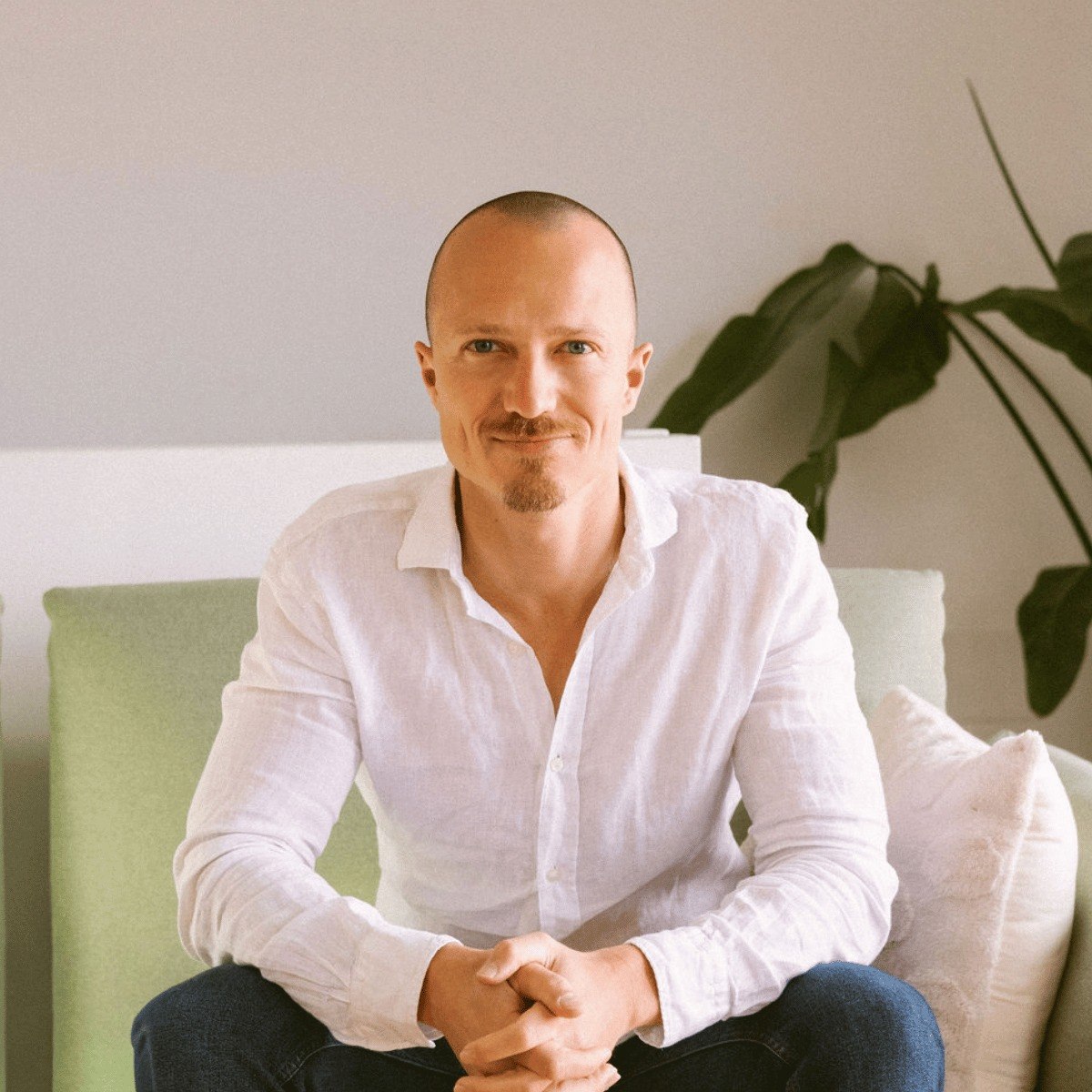
Gui is in his genius zone when he's helping people understand new ideas, adopt better tools, and turn messy problems into clear next steps.
His strength is making complex things feel simple. Whether he’s teaching, selling, fundraising, or building with AI agents, he looks for the fastest path from “this feels overwhelming” to “I know what to do next.”
At Timeback, Gui leads the teaching side, helping you build agent systems you can use in your day-to-day work.
By the end of the bootcamp, every participant walks away with these 12 stackable assets, a complete, working system.
set up with your personal context, brand voice, and operating rules.
so AI can take action, not just answer questions.
the capture and memory layer where everything lives.
voice notes, dictation, and on-the-go capture into the system.
for dictating across your whole life.
where the hours actually go each week.
what to automate, what to keep human, which tool does what.
built in Week 3 on your real work.
every tool you use, wired into the second brain so context flows automatically.
what to refine, what to add, what to build next.
the document Claude and your agents reference so every output sounds like you.
the prompts, instructions, and templates behind every workflow, yours to clone, edit, extend.

“I really discovered AI agents. Not in theory, but through concrete cases I could apply directly to my business.”
“Thanks to Gui's bootcamp, I better organised our booking activity by connecting Claude with Notion and Airtable, automated the processing of our invoices, and improved our financial communication to shareholders. The weekly sessions create an ongoing momentum: each week, we test, we iterate, we move forward. Exactly what's needed to give it a real kick-start.”
CEO, Coco Community

“Looking at AI not as isolated tools, but as an integrated system. Almost like an operating system fully powered by AI.”
“From the point of view of a small business owner, AI is a huge opportunity to gain some leverage when you're constrained in time and resources. What the bootcamp did for us was expose us to more advanced ways of using AI, in concrete examples. A nice-size group of around 10 people, sharing as we learned. I'd recommend it to anyone in my circumstances.”
Managing partner, Nucleo Assets
Secure your place before 26 May. That’s when the online curriculum goes live and early bird pricing ends. Spots are limited to keep the cohort intimate.
Join Cohort 2 of The Timeback Bootcamp and get access to all course materials from 26 May, two weeks before the live Masterminds begin. That gives you time to watch the video modules, prepare your setup, and arrive ready to build when we start live on Tuesday 9 June.
Book your 20-minute AI Strategy Call to get your questions answered.
Not at all. If you can describe what you need to a colleague, you can build an AI team. The whole approach is conversational: no code, no flowcharts, no technical background. That's the entire point.
Most courses teach you about AI. You watch videos, learn concepts, and then you're on your own. The Timeback Bootcamp is focussed on telling you exactly what to do to set up your agents as fast as possible, in the most intuitive way possible. We're action-driven and care about results.
Your skill is in knowing how to delegate to AI agents and design their roles. When better tools emerge, and they will, your framework and skills transfer completely. For now, we're using the most intuitive tools out there.
Expect to spend 5–10 focused hours per week on the bootcamp. The live sessions are only part of it. The real progress comes from applying the frameworks, building your own agent team, and turning the work into your actual business systems. Some people go deeper and spend more, but if you can protect 5–10 focused hours each week, you’ll be in a strong position to get real results.
Every Mastermind session is recorded. You can catch up anytime and bring your questions to the next live session, or discuss them directly with Gui during your weekly 1:1 call.
OpenClaw is a cloud-hosted platform for building and running AI agents. We use Clawbite, a platform that allows you to use OpenClaw instantly. It runs in your browser and takes about a minute to set up. It's the most intuitive platform we've found for non-technical users, which is why we teach on it.
Claude is the AI workspace we use as your thinking partner inside the Bootcamp. It helps you plan, write, analyse, organise, and make decisions, but we won’t only use it as a chat window.
You’ll also learn how to work with Claude’s wider toolset, including Projects, Artifacts, Claude Code, Connectors, scheduling, and its newer agentic features. That means Claude can help you move from “I have an idea” to “I have a draft, a plan, a workflow, or a working prototype.”
In Timeback, Claude is where a lot of the thinking and shaping happens. OpenClaw then helps turn that thinking into repeatable agent workflows that can run across your tools.
You do not need to understand Claude technically. You need to learn how to brief it, give it context, connect it to the right work, and use it as part of your day-to-day operating system.
Yes, but we still teach you to be deliberate about what each tool and agent can access.
Claude is built with enterprise-grade security standards, and OpenClaw lets you set clear boundaries around each agent: what it can access, what it can do on its own, and what needs your approval before anything happens.
Inside the Bootcamp, we show you how to design your agents with sensible permissions, approval steps, and human oversight, so you stay in control of the system you build.
Yes. Lifetime access to the alumni community and early access to new resources and updates as the ecosystem evolves.
During the bootcamp, we use Claude and OpenClaw because they are the most intuitive tools we’ve found for learning how to work with agents.
For the kind of agentic work we teach, most users should expect to need Claude Max, which is around €85/month, depending on region and plan. OpenClaw via Clawbite runs on a monthly subscription, with most users likely sitting somewhere between €50 and €150/month depending on usage.
After the bootcamp, you can choose what to keep. You may continue with both platforms, use Claude more heavily, keep a lighter OpenClaw setup, or adjust your plan based on how many workflows you actually run.
We also teach you how to optimise costs: choosing the right model for the task, avoiding unnecessary runs, and building agents that do useful work without wasting credits. The goal is not to push you into the biggest setup. It is to help you understand what you need, what you don’t, and how to make the tools pay for themselves.
You have a full 14-day money-back guarantee. If the bootcamp isn't the right fit, you get a complete refund, no questions asked.
4 weeks to build the system that captures, reflects, and acts across your real work.
Join the BootcampOnce a week or so: cohort dates, the agents we're building, and what's actually working for our students. No spam. Unsubscribe anytime.
We’ll never share your email.

